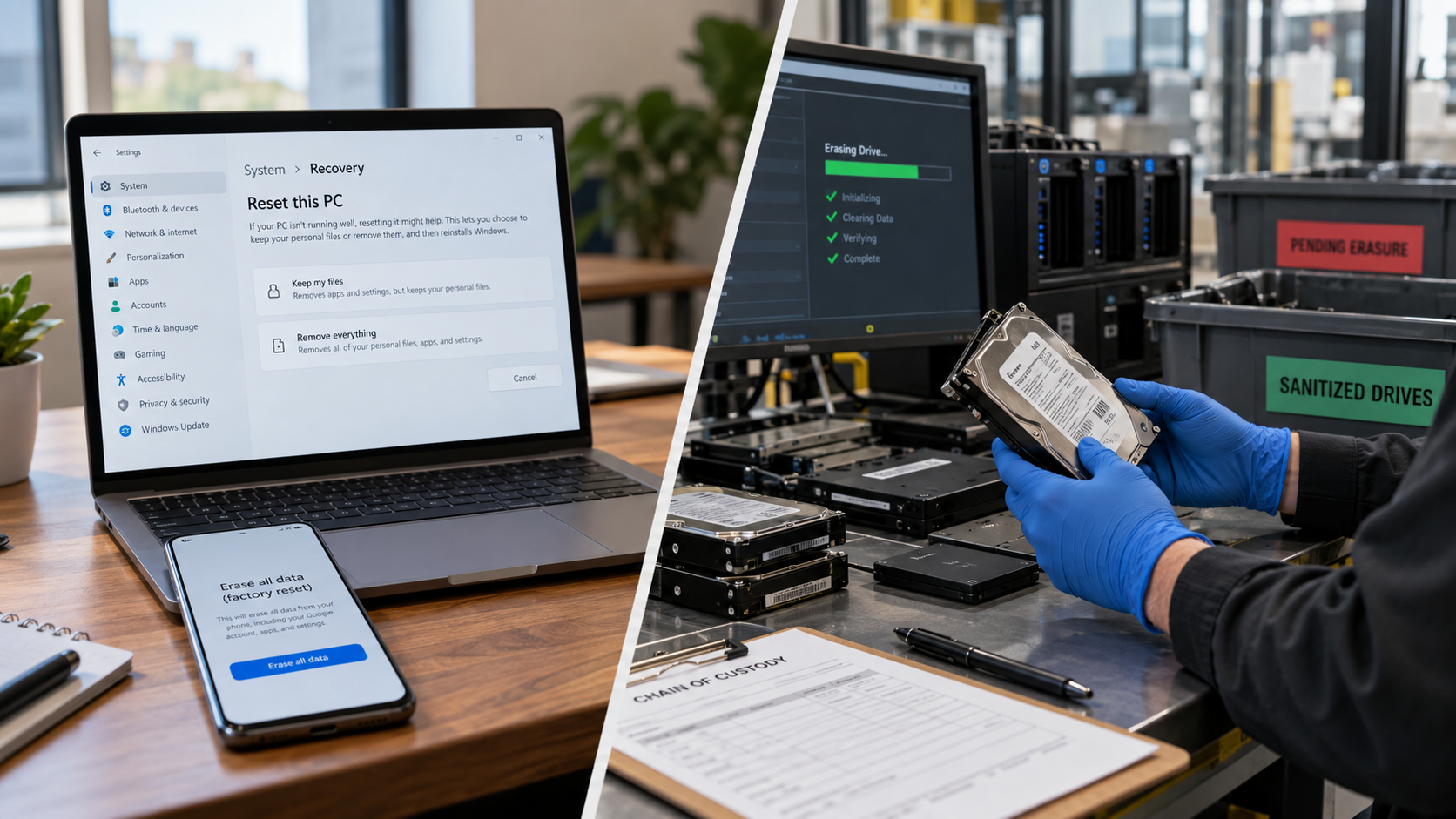
Formatting a hard drive does not always permanently erase the data stored on it. A quick format mainly rebuilds the file-system structures that tell the operating system where files are located. The files may disappear from normal view, but portions of the underlying data can remain until those storage locations are overwritten.
That matters if you are selling, donating, recycling, or retiring a computer. For sensitive information, “formatted” should not automatically be treated as “sanitized.”
What Happens When You Format a Hard Drive?
Formatting prepares a drive or volume to use a file system such as NTFS or exFAT. In Windows, the result depends on the type of format you perform.
Microsoft’s current format documentation says the /Q option performs a quick format by deleting the file table and root directory without a sector-by-sector scan. Microsoft also documents /P, which zeros every sector on the volume before performing any requested additional overwrite passes. The /P option is ignored when quick format is used.
PowerShell’s Format-Volume documentation similarly distinguishes quick and full formatting: a full format writes to every sector of the disk.
So the practical answer is simple: a quick format should not be relied on as secure data destruction. A full overwrite is substantially different because it replaces data in the addressed storage locations.
Formatting Is Not the Same as Data Sanitization
NIST SP 800-88 Rev. 2, published in September 2025, defines media sanitization as making access to target data infeasible for a chosen level of effort.
NIST identifies three sanitization methods:
- Clear: logical techniques that sanitize user-addressable storage and protect against simple, non-invasive recovery.
- Purge: stronger sanitization intended to make recovery infeasible even with advanced laboratory techniques while potentially allowing the media to remain usable.
- Destroy: physical techniques that render recovery infeasible and generally leave the media unusable.
This is why “formatted” is not enough information for a business retiring storage equipment. You need to know the sanitization method, technique used, whether it succeeded, and how the result was verified.
HDDs and SSDs Should Not Be Treated the Same
Traditional hard disk drives, or HDDs, store data magnetically. Overwriting user-addressable storage can be an appropriate clear technique when it matches the organization’s risk requirements.
Solid-state drives, or SSDs, require more care. NIST explains that flash storage may contain spare cells and use wear leveling, which can make it impossible for ordinary host-level overwrite commands to directly address every location where sensitive data has previously been stored. NIST specifically warns that repeated overwrite practices should be avoided for some SSDs with overprovisioning because they may provide little additional confidentiality protection.
Where greater assurance is required, organizations may need an appropriate purge technique, cryptographic erase, or destruction rather than repeatedly formatting an SSD.
The key is not how many times someone clicks “format.” It is whether the selected technique is appropriate for the storage technology and security requirement.
Do You Need Multiple Overwrite Passes?
Not necessarily.
NIST SP 800-88 Rev. 2 notes that hard drives were historically erased using multiple overwrite passes and specific binary patterns. Current guidance places greater emphasis on selecting an appropriate sanitization method and validating the outcome instead of treating a specific number of overwrite passes as a universal requirement.
For a business, more useful questions include:
- What storage technology was involved?
- What sanitization procedure was followed?
- Did the tool report successful completion?
- Were errors identified?
- Was the result validated?
- Is there documentation linking the process to the asset?
When Is Physical Destruction Appropriate?
Physical destruction may be appropriate when a drive is damaged, cannot be reliably sanitized, will not be reused, contains highly sensitive information, or organizational policy requires destruction.
R2v3 recognizes logical sanitization and physical destruction pathways. SERI states that R2 facilities performing logical sanitization must be certified to Appendix B, which adds requirements involving security, device tracking, verification, record keeping, and quality controls.
The current e-Stewards Standard also places strong emphasis on data security. e-Stewards states that NAID AAA Certification is now a prerequisite for becoming an e-Stewards Certified processor.
For businesses, the provider’s documented process matters as much as the words “wiping” or “shredding.”
What Should Businesses Ask an ITAD Provider?
Before computers, servers, HDDs, SSDs, or other data-bearing devices leave your facility, ask:
- Which sanitization method will be used for each media type?
- Is the process aligned with NIST SP 800-88 Rev. 2 or another recognized standard?
- How is sanitization verified and validated?
- What happens to drives that fail sanitization?
- Are assets tracked by serial number?
- Is chain-of-custody documentation available?
- Will you receive a certificate of sanitization or data destruction?
- What certifications does the processing facility hold?
NIST’s sample Certificate of Sanitization includes fields for media type, model, serial number, sanitization method, technique, tools used, verification status, validation, and final disposition.
That provides a useful benchmark for the documentation a structured ITAD project may require.
Frequently Asked Questions
Can files be recovered after a quick format?
Potentially, yes. Because quick formatting does not deliberately overwrite every storage location, previous data can remain until those areas are overwritten with new information. Microsoft’s documentation confirms that quick formatting removes file-system structures rather than performing a full-sector overwrite.
Is a factory reset the same as secure data sanitization?
Not automatically. SERI specifically warns that manufacturer-provided factory resets do not always make data irrecoverable and does not treat a factory reset alone as R2v3 logical sanitization.
Should I format a hard drive before recycling it?
Formatting may be a useful preliminary step for low-risk personal devices, but businesses and anyone handling sensitive information should use an appropriate, verified sanitization or destruction process rather than relying on formatting alone.
The Bottom Line
Formatting a hard drive does not automatically mean its data is permanently erased. Quick formatting is especially unsuitable as a secure data-destruction method. Proper sanitization depends on the media type, sensitivity of the information, intended disposition of the device, and required level of assurance.
If your Houston organization is retiring computers, servers, hard drives, SSDs, or other IT equipment, LoneStar e-Waste can help connect you with an appropriate electronics recycling or ITAD solution based on equipment volume, pickup requirements, data-handling needs, and documentation requirements. LoneStar’s current Houston ITAD service specifically addresses retired business technology, data-security requirements, logistics, and documentation.