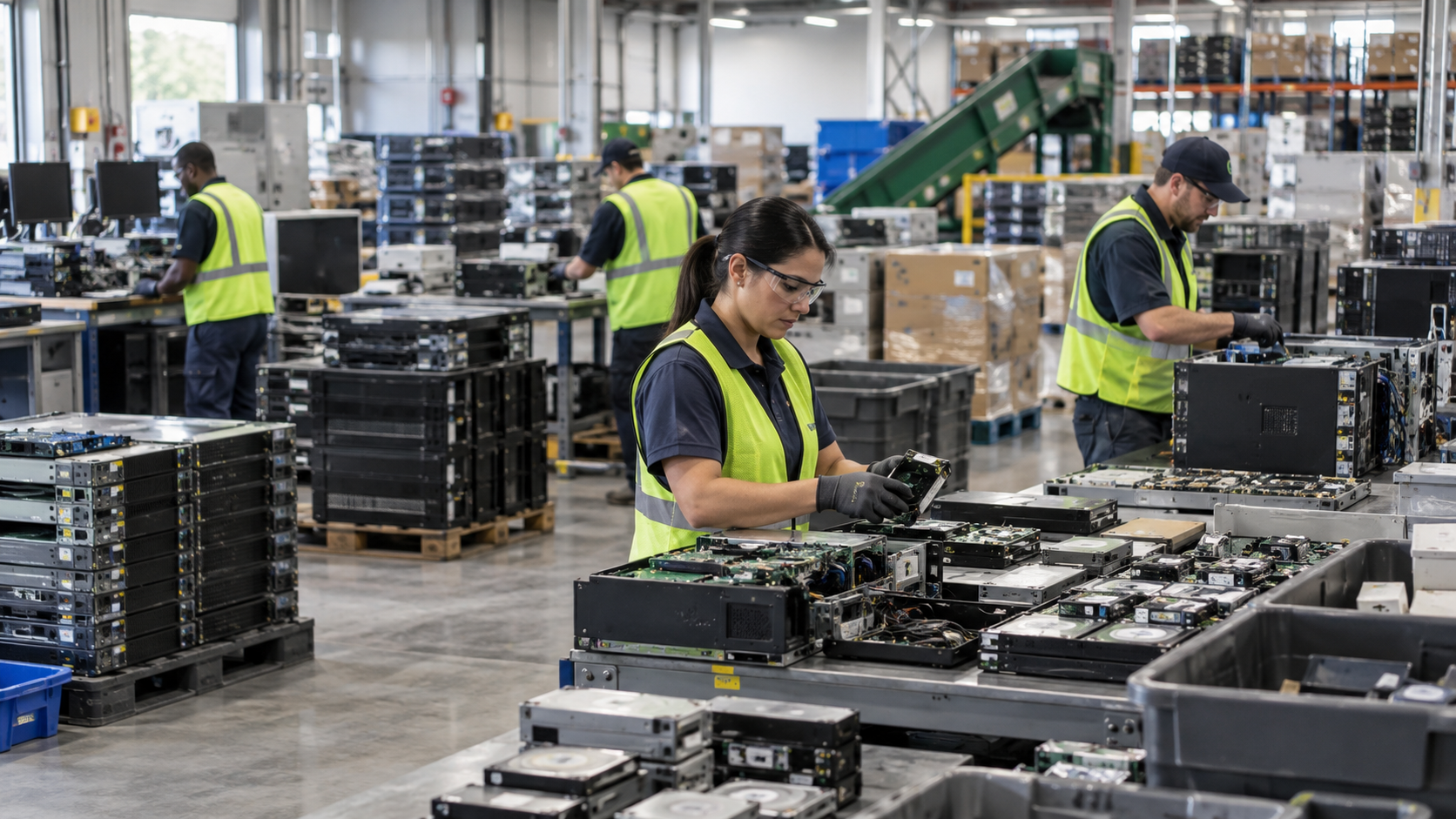
An old laptop should not go straight from your desk into a trash bin or recycling drop-off box. Before recycling it, protect your files and personal information, remove the device from your accounts, properly erase its storage, and choose an appropriate electronics recycling option. This guide focuses specifically on doing that safely in Houston.
Houston residents have several legitimate options, including City of Houston electronics recycling facilities and manufacturer take-back programs. The important part is preparing the laptop correctly before handing it over.
Step 1: Back Up Anything You Still Need
Before deleting anything, make sure important data has been copied somewhere safe.
Check for documents, photos, financial records, browser downloads, saved work, software-license information, and other files you may want later. You can move them to an external drive, another computer, or a reputable cloud-storage account.
Open a few backed-up files before proceeding. A backup is much more useful when you have confirmed that it actually contains what you intended to save.
If the laptop belongs to a business, school, healthcare organization, or other institution, follow the organization’s retention and IT asset disposition policies instead of independently deleting company information.
Step 2: Sign Out and Disconnect Your Accounts
A laptop can remain associated with online accounts even after you stop using it.
Before recycling it, review services such as:
Microsoft or Apple accounts
Google accounts
Cloud-storage services
Email applications
Password managers
Business software
Device-management platforms
Subscription-based applications
Sign out where appropriate and remove the old computer from device-management or account dashboards if the service provides that option.
This step is particularly important if you plan to donate or reuse the laptop rather than destroy its storage.
Step 3: Erase the Laptop’s Data Properly
Deleting individual files or emptying the recycle bin is not the same as sanitizing storage.
The Texas Commission on Environmental Quality specifically tells consumers that they are responsible for confidential information left on computers submitted for recycling or reuse and advises consumers to erase their data before turning equipment over.
For an ordinary personal laptop, follow the computer manufacturer’s or operating-system provider’s supported procedure for fully erasing or resetting the device before recycling it.
For equipment containing sensitive business, financial, healthcare, customer, or regulated information, stronger controls may be appropriate. NIST’s current SP 800-88 Rev. 2, Guidelines for Media Sanitization, published in September 2025, describes media sanitization as making access to target data infeasible for a specified level of effort. It recommends selecting sanitization methods and controls based on the sensitivity of the information and the type of media involved.
Businesses should therefore treat retired laptops as part of their IT asset disposition and cybersecurity processes rather than relying on ordinary consumer deletion procedures.
Step 4: Decide Whether the Laptop Can Be Reused
Recycling does not always require immediately destroying the entire laptop.
If the machine still works, reuse or refurbishment may be possible after appropriate data sanitization. Components and materials from equipment that cannot reasonably be reused can then move into recycling channels.
This distinction matters because the storage device and the laptop itself do not necessarily require the same disposition.
For example, an organization might determine that the laptop can be refurbished while its original storage device requires a particular sanitization or destruction process.
If sensitive data is involved, ask the recycling or ITAD provider what method will be used and whether processing can be documented.
Step 5: Choose a Houston Laptop Recycling Option
Houston residents have several local options.
The City of Houston Westpark Consumer Recycling Center, located at 5900 Westpark, Houston, TX 77057, accepts residential electronics, including laptops, at no additional charge. The City also lists its North and South Environmental Service Centers as locations that accept residential electronic waste.
The City specifically advises residents not to place electronics at the curb with ordinary garbage or heavy trash.
Texas also provides another route through the Texas Recycles Computers Program. Manufacturers that sell covered computer equipment in Texas are required to provide collection and recycling programs for their own brands of qualifying consumer computer equipment. Collection and recycling must be convenient and free at the time of recycling. The program applies to equipment purchased primarily for personal or home-business use.
That means checking your laptop manufacturer’s recycling program may provide a convenient alternative to a municipal drop-off location.
What About Business Laptops?
A company replacing 20, 100, or 500 laptops has different needs from a Houston resident recycling one personal computer.
Businesses should consider:
Asset inventory and serial-number tracking
Data-bearing devices
Data sanitization or physical destruction requirements
Chain of custody
Pickup logistics
Certificates or processing records
Reuse and remarketing possibilities
Responsible downstream recycling
The EPA recommends that businesses, governments, and large purchasers consider certified electronics recyclers. It recognizes R2 and e-Stewards as the two accredited certification standards for electronics recyclers in the United States. These certifications provide mechanisms for evaluating environmental, worker-health-and-safety, and data-security practices.
Certification scope also matters. For example, SERI’s R2v3 framework has specific requirements for facilities performing logical data sanitization and enhanced physical sanitization under Appendix B.
Quick Laptop Recycling Checklist
Before your laptop leaves your possession:
Back up important files.
Confirm that your backup works.
Sign out of important accounts.
Remove the laptop from relevant device-management accounts.
Erase or sanitize its storage appropriately.
Remove accessories you intend to keep.
Choose a legitimate recycling, reuse, or manufacturer take-back option.
For sensitive business equipment, ask about data sanitization and documentation.
Frequently Asked Questions
Can I put an old laptop in my Houston trash?
The City of Houston states that residential electronics should not be placed at the curb with garbage or heavy trash and provides designated electronics recycling options instead.
Is recycling a laptop free in Houston?
For Houston residents, the Westpark Consumer Recycling Center accepts residential electronics at no additional charge. Texas manufacturer take-back programs can also provide free recycling for qualifying consumer computer equipment from participating manufacturers under the state program.
Should I remove the hard drive before recycling my laptop?
Not necessarily. The important issue is ensuring that the storage device receives an appropriate sanitization or destruction process. If you are uncertain, discuss the device and your data-security requirements with the recycling provider before turning it over.
Recycle Your Laptop Without Leaving Data Behind
Safely recycling an old laptop involves two separate responsibilities: protecting the information stored on the device and making sure the equipment enters an appropriate reuse or recycling channel.
For individual Houston residents, municipal collection programs and manufacturer take-back options provide convenient routes. For businesses retiring larger quantities of laptops and other IT assets, a structured ITAD process with appropriate data handling, tracking, pickup coordination, and documentation may be more suitable.
LoneStar e-Waste helps Houston businesses connect with appropriate electronics recycling and IT asset disposition solutions. If your organization is replacing laptops, clearing an office, or retiring larger quantities of IT equipment, you can request a recycling quote based on your equipment, volume, data-security needs, and pickup requirements.