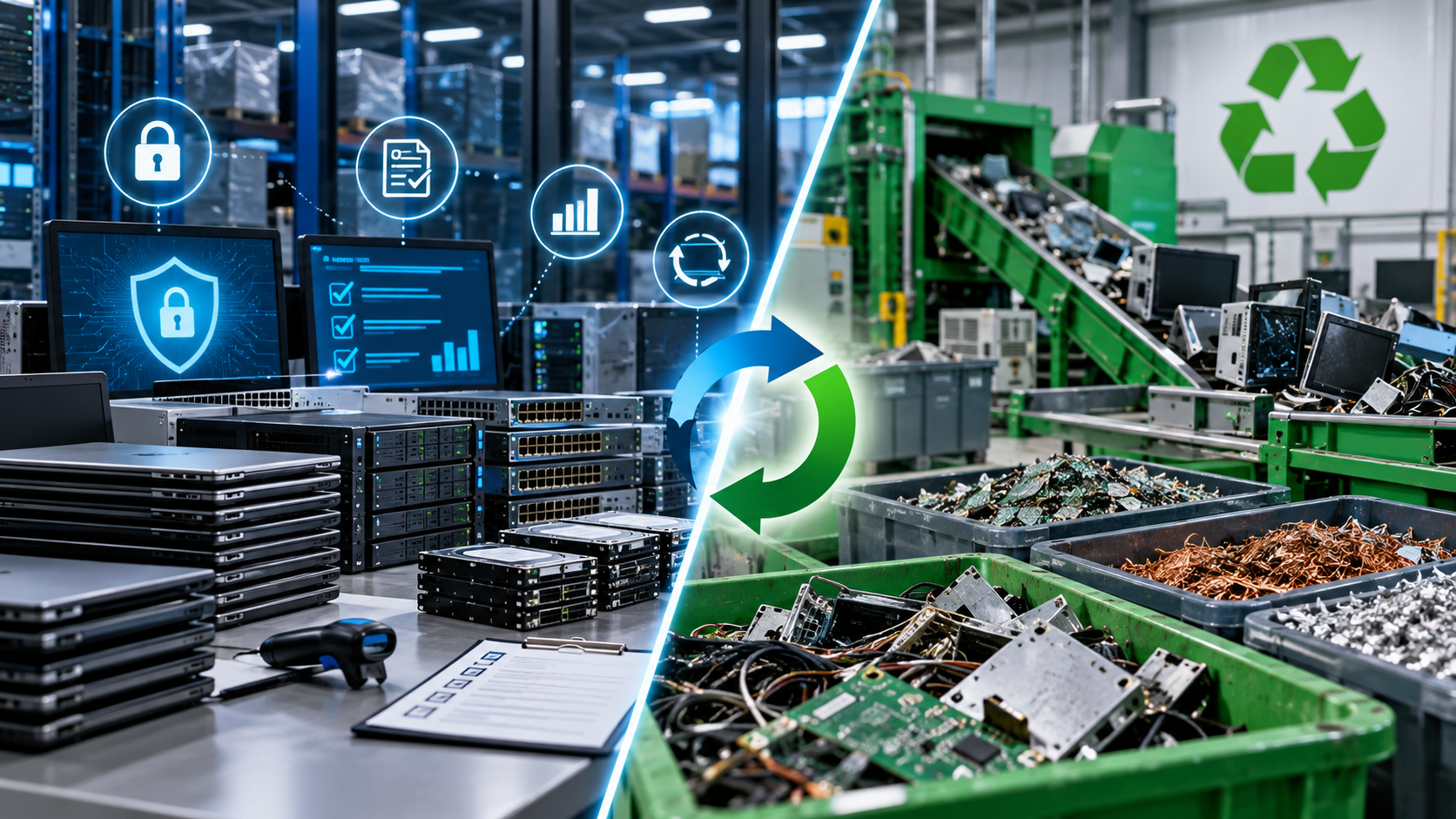
A data center move does not automatically mean its equipment is being retired. Relocation transfers working infrastructure to another site; decommissioning takes systems permanently out of service. Most consolidations involve both. For IT asset disposition (ITAD), the difference determines when hardware can be released, how data is protected, where equipment goes, and what documentation is required.
The critical question is: Will each asset run again, be held as a fallback, or leave our control?
Relocation vs. Decommissioning: The Practical Difference
Decision
Data Center Relocation
Data Center Decommissioning
Main goal
Restore infrastructure and services at another location
Retire equipment after services are transferred or terminated
Asset handling
Preserve hardware, configurations, and serviceability
Assess for reuse, resale, lease return, or recycling
Data handling
Protect information needed for continued operations
Sanitize or destroy data on media leaving authorized use
Completion evidence
Delivery, reconciliation, and successful cutover
Asset disposition records and appropriate sanitization evidence
A cloud migration illustrates the overlap: applications move while original servers remain until acceptance testing. Migration is not hardware disposal.
Build One Inventory With Three Asset Decisions
Reconcile the asset register with physical racks. Record serial numbers, owners, locations, drive types, data sensitivity, and lease status.
Give each asset a clear status:
Relocate: Needed at the destination and protected for reuse.
Hold: Retained temporarily for rollback, investigation, or contractual review.
Retire: Formally approved for ITAD processing.
Include storage arrays, removable hard disk drives (HDDs), solid-state drives (SSDs), spare drives, network appliances, and hardware with embedded storage. A switch with saved credentials or a server with overlooked cache media can create a security problem even when its main drives have been removed.
Map dependencies first. IBM’s migration guidance emphasizes discovery, testing, and validation to prevent retiring equipment that critical workloads still need.
During Relocation, ITAD Is Primarily About Control
Hardware scheduled to operate again needs a secure move, not automatic destruction. Label assets, document release and receipt, protect hardware in transit, and plan reinstallation.
Maintain a chain of custody: a record of who controlled an asset and when. For sensitive systems, define requirements for sealed containers, authorized handlers, transport tracking, and exception reporting before pickup.
Preserve necessary configurations and recovery options. Verify backups and destination readiness, including rack space, power, cooling, and connectivity. Do not sanitize a drive merely because a server is changing buildings; doing so could destroy the very data the move is intended to preserve. Apply additional safeguards when the receiving entity or security boundary changes.
The relocation phase ends with serial-number reconciliation and operational acceptance—not merely a signed delivery receipt.
During Decommissioning, the Priority Shifts to Secure Disposition
Decommissioning begins only after the system owner authorizes retirement. Confirm that workloads, backups, retention obligations, and rollback requirements have been addressed. Then identify every data-bearing component and assign an approved treatment.
NIST SP 800-88 Revision 2, published in September 2025, provides guidance for organizational media-sanitization programs. The selected method should reflect information sensitivity, media technology, and intended reuse.
For instance, verified logical sanitization may preserve a device’s resale value; physical destruction may be appropriate when policy, media condition, or risk rules out reuse. Cryptographic erase requires suitable encryption and key-management controls—it is not a shortcut that works for every SSD.
After data handling, sort equipment into approved paths: internal reuse, resale or refurbishment, lease return, parts recovery, or responsible recycling.
Preserve asset-level records, sanitization results, custody logs, and downstream processing evidence appropriate to the contract. Check that destruction certificates identify the devices, not just the project.
The Release Gate That Prevents Expensive Mistakes
Treat migration and ITAD as separate workstreams with a formal handoff.
Before cutover: Inventory equipment, classify media, and identify rollback assets.
After cutover: Verify applications, data integrity, and operational acceptance.
At authorization: Obtain written owner approval for each retirement batch.
At pickup: Reconcile serial numbers and transfer custody to the chosen provider.
At closeout: Match returned records to the original approved inventory; investigate discrepancies.
If an old storage array remains the recovery option after initial testing, recycling it is premature. Keep it on hold until rollback is no longer needed.
Choosing an ITAD Provider in Houston
Separate relocation and retirement in the scope. Identify who packs, transports, sanitizes, and receives equipment.
The U.S. Environmental Protection Agency recommends certified electronics recyclers; R2 and e-Stewards are recognized certification programs.
Verify the specific facility’s current certification and service scope. Under R2v3, specialized activities such as logical data sanitization have additional process requirements, so a general certification claim should not replace a capability check.
For Texas projects, do not mistake the Texas Recycles Computers consumer takeback program for a commercial data center disposal service. TCEQ directs commercial organizations toward appropriate reuse and recycling arrangements, and its electronics guidance discusses business waste determinations.
Ask providers for timelines, on-site access requirements, chain-of-custody procedures, sanitization reports, proof of downstream handling, and any resale-credit terms before signing.
Frequently Asked Questions
Does relocating a data center require data destruction?
Not necessarily. Equipment remaining in authorized service usually requires secure handling and continuity controls. Media removed from service or transferred outside approved boundaries needs a separate sanitization decision.
Can one provider handle relocation and decommissioning?
Possibly, but capabilities differ. Confirm whether the proposed team actually performs infrastructure migration, data sanitization, asset remarketing, and recycling—or relies on vetted specialists.
Plan the Handoff Before the First Server Leaves
A successful project distinguishes what must keep running from what can safely leave service.
If your Houston organization is retiring servers, storage, or networking equipment during a move, LoneStar e-Wastecan help connect you with an appropriate recycling or ITAD solution and quote.